

We teach a way of studying: slow down in a passage, observe what is there, see how the text is built, and let Scripture interpret Scripture. We walk you through that process. You do the work. We teach the principles and give feedback.
You can do this on paper. The same principles work with other study tools too. We often use The Scripture Workshop, a free app we built for this teaching, but the methods are not locked to one app.
Or open the Scripture Workshop — free, in your browser.
Learn with us

Hands-on “How to Study the Bible” courses run over several weeks to a few months, with homework in between. We also teach shorter interactive studies for a camp meeting, retreat, or one-time gathering. We always come as a team. Get in touch.
The sermons on this site come out of the same kind of study.
A tool we teach with
The Scripture Workshop is a free app for that work. You divide the text, write the headings, mark what you see, and trace how the argument runs. The next time you open that passage, it is your Bible that opens. Four ways of working the same text:
Outlining
Give the passage structure: divide it into sections, add headings and chapter themes, mark quotes and poetry — until the outline reveals how Scripture is built. Those headings then show up whenever you meet that text again.
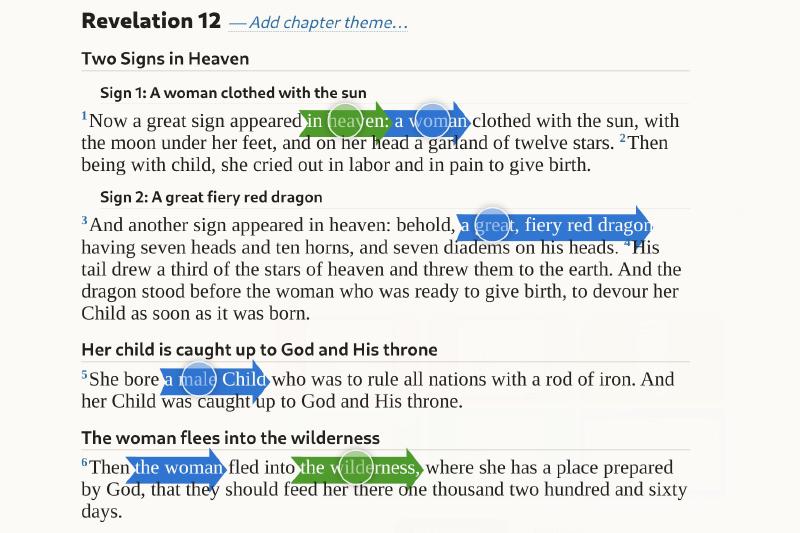
Markup
Slow your reading down to observe: mark the text through seven lenses — attention getters, questions, commands, transitions, and more — to find patterns in how the writer shapes the passage.
Phrasing
Wrap your mind around the passage: break it into phrases and indent them to show how each one hangs on the ones around it.
Arcing/Bracketing
Trace the flow of thought: reword the passage proposition by proposition and show how they relate — as arcs or brackets — until the text’s main point stands out.
Your Bible
The headings you write show up whenever you meet that text again — in the Reader, in a later study, and in another tool.
On your device
No account. Works offline once a passage is loaded. English, Swedish, and other languages. You can import Ellen G. White quotes too.
Free — no account, no cost. Works on a phone, tablet, or computer.
Invite us to teach
If you would like us to come and teach how to study the Bible — principles, practice, and feedback — we would love to hear from you. We always travel and serve as a team.
Get in touchTeaching and the tools we use are free. If you would like to stand with this work, you can partner with us. 🙏